
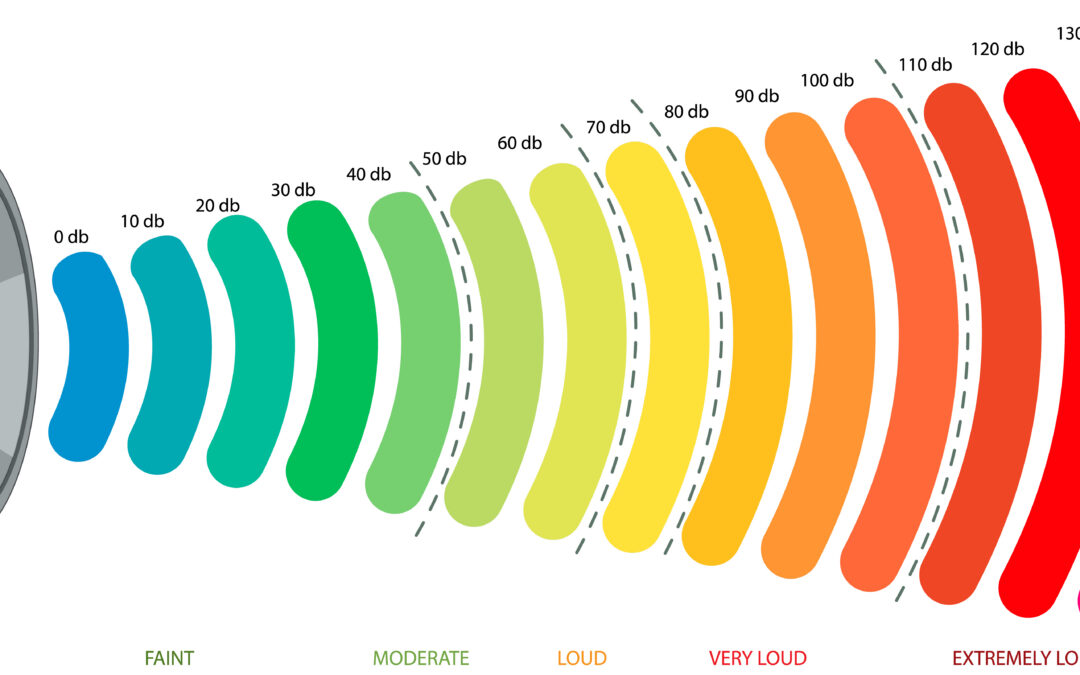
To keep users safe and their devices sound quality intact, modern browsers have been strictly limited in the audio they can play. Yet, while watching videos, attending meetings, or streaming content online, plenty of users face the problem of low volume. That is why a Google Volume Booster is becoming more relevant. Once figuring out how such tools coexist with browser audio limits, users can find ways to safely boost the sound without causing distortion or hardware damage.
Sound Booster Max is a utility that can elevate the sound of a browser while keeping to the set technical limits. In this article, we will look at the browser audio limits, the audio amp management of boosters, and how users can safely increase volume without going beyond the risk- free border.
Browser Audio Explained: Why Volume Is Restricted by Default
Browsers such as Google Chrome have built in volume limiters that automatically reduce sound if it is too loud. They decide how loud sound is so that it is at a comfortable level for everyone (and to avoid damaging speakers). Even if a user adjusts the volume using the system controls, he or she is still subjected to these fixed limits.
A Google Volume Booster is an app that increases the volume of your speakers inside this plan only. It doesn’t bypass hardware limitations but simply amplifies the signal digitally. Sound Booster Max is a volume booster that complies with these default network extender limits while efficiently increasing the perceived loudness.
How Browser Audio Processing Works Before Sound Reaches Speakers
Before your speakers can play the sound, it goes through several processing stages inside the browser. These stages include decoding, normalization, and output balancing. Chrome purposely maintains conservative volume levels to prevent clipping and distortion.
When a Google Volume Booster is activated, it introduces a small measure of gain at this particular processing stage. Sound Booster Max ramps up the volume in a very natural way, leaving the audio clear while not going beyond the limits set by the browser.
The Role of Digital Gain in Browser-Based Volume Boosting
A digital boost of volume basically means making the audio signal stronger without the speakers having to work harder in a physical way. Using digital gain is actually a lot safer than a hardware amp as it won’t bypass the protections of the system. Generally, the majority of contemporary volume boosters are based on only this method.
A Google Volume Booster makes use of digital gain for boosting volume and gluing sound details. Sound Booster Max constantly adjusts this gain on the fly, thus avoiding sudden spikes which may result in unpleasant listening experiences.
How Sound Booster Max Prevents Distortion at Higher Volume Levels
Distortion occurs when audio signals exceed safe processing limits. Sound Booster Max minimizes this risk by using gradual amplification and real-time monitoring. Instead of aggressive volume jumps, it allows users to increase sound incrementally.
This approach ensures that a Google Volume Booster enhances loudness without degrading audio clarity. Maintaining balance is key to long-term listening comfort and speaker safety.
Why Browser Boosters Do Not Override Hardware Audio Restrictions
Browser-based tools cannot directly control hardware output. This limitation is intentional and ensures system stability. Volume boosters operate within software layers, respecting operating system and device constraints.
A Google Volume Booster enhances sound perception rather than raw power. Sound Booster Max works harmoniously with system audio drivers, ensuring reliable performance across laptops and desktops.
Managing Peak Audio Levels to Avoid Clipping and Sound Breakup
Peak audio levels occur during sudden loud moments, such as explosions in videos or loud speech. Without control, these peaks can cause clipping. Sound Booster Max automatically smooths these peaks to maintain consistent output.
This intelligent handling allows a Google Volume Booster to deliver louder sound without sudden harshness. Users benefit from improved volume while avoiding uncomfortable audio spikes.
How Volume Boosters Handle Multi-Tab and Streaming Audio
Browsers often play audio from multiple tabs simultaneously. Without proper handling, boosting one source can affect others negatively. Sound Booster Max applies amplification intelligently on a per-source basis.A Google Volume Booster that manages multi-tab audio ensures clarity across meetings, music, and videos. This controlled approach helps users maintain stable volume levels throughout different browser activities.
Safe Volume Ranges Recommended for Long Listening Sessions
Long listening sessions require moderation. Audio experts recommend staying below extreme amplification levels to prevent ear fatigue and speaker stress. Sound Booster Max allows users to fine-tune volume rather than forcing maximum output.
Using a Google Volume Booster responsibly means prioritizing clarity over loudness. Gradual adjustments deliver better results and preserve audio quality over time.
Why Controlled Boosting Improves Accessibility and Listening Comfort
Volume boosters are especially useful for accessibility, helping users with hearing difficulties or low-quality speakers. Controlled amplification makes speech clearer without overwhelming background noise.
A Google Volume Booster enhances accessibility when used thoughtfully. Sound Booster Max ensures speech remains crisp and balanced, improving overall listening comfort for diverse users.
How Sound Booster Max Balances Performance and Browser Safety
Sound Booster Max is built to work with browser audio systems, not against them. Its design prioritizes stability, clarity, and controlled amplification. By respecting browser limits, it ensures consistent performance across updates and devices.
This makes a Google Volume Booster powered by Sound Booster Max a reliable solution for users seeking louder sound without risking distortion or hardware damage.
Conclusion
Understanding how browser audio limits work is essential for safe and effective volume enhancement. A Google Volume Booster does not remove these limits but works intelligently within them to improve sound clarity and loudness. By using digital gain, managing peaks, and respecting system boundaries, Sound Booster Max delivers enhanced audio without compromising safety or quality.
When used responsibly, Sound Booster Max allows users to enjoy richer, clearer sound across videos, meetings, and streaming content—while staying well within the browser’s built-in audio protections.